Project Overview
This project explores how a saving goals feature could be introduced into a personal finance app. The goal was to design an experience that not only allows users to set financial targets, but also helps them stay consistent and reach those goals over time.
Completed over a short timeframe as a focused design challenge, the work prioritises clarity, ease of setup, and reducing the effort required to actively manage savings.
The feature enables users to:
Create a new saving goal
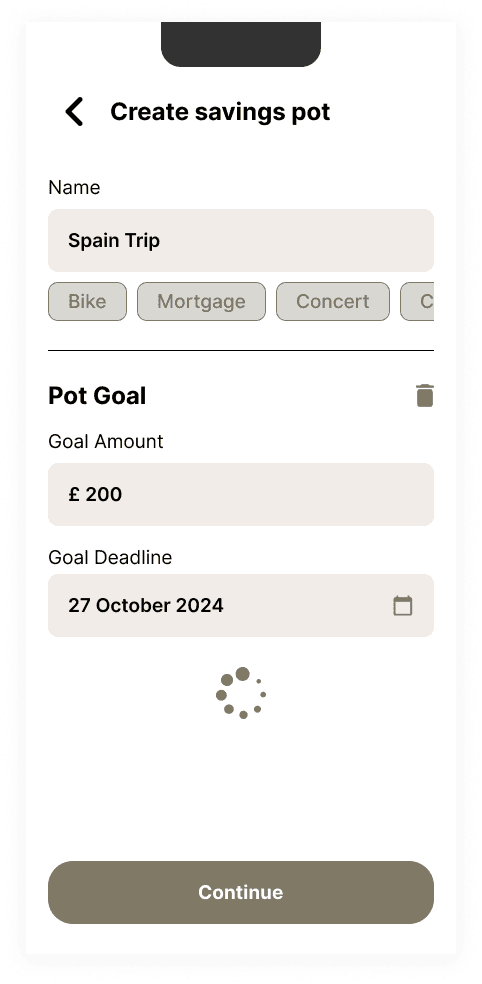
Set a target amount and deadline
Track progress over time
Problem Statement
The challenge focused on helping users not only set saving goals, but actually stay consistent and reach them over time.
Research
In order to understand the product I’ve created an account to explore the brand, understand the stylistic approach and how the app operates.
I wanted to challenge myself so I avoided exploring their existing goals feature to see where it might take me.
In addition I have explored the competition and other designer work on various work sharing platforms to get inspiration.
Flows
There were two main flows I wanted to look into: creating the goals and managing them.
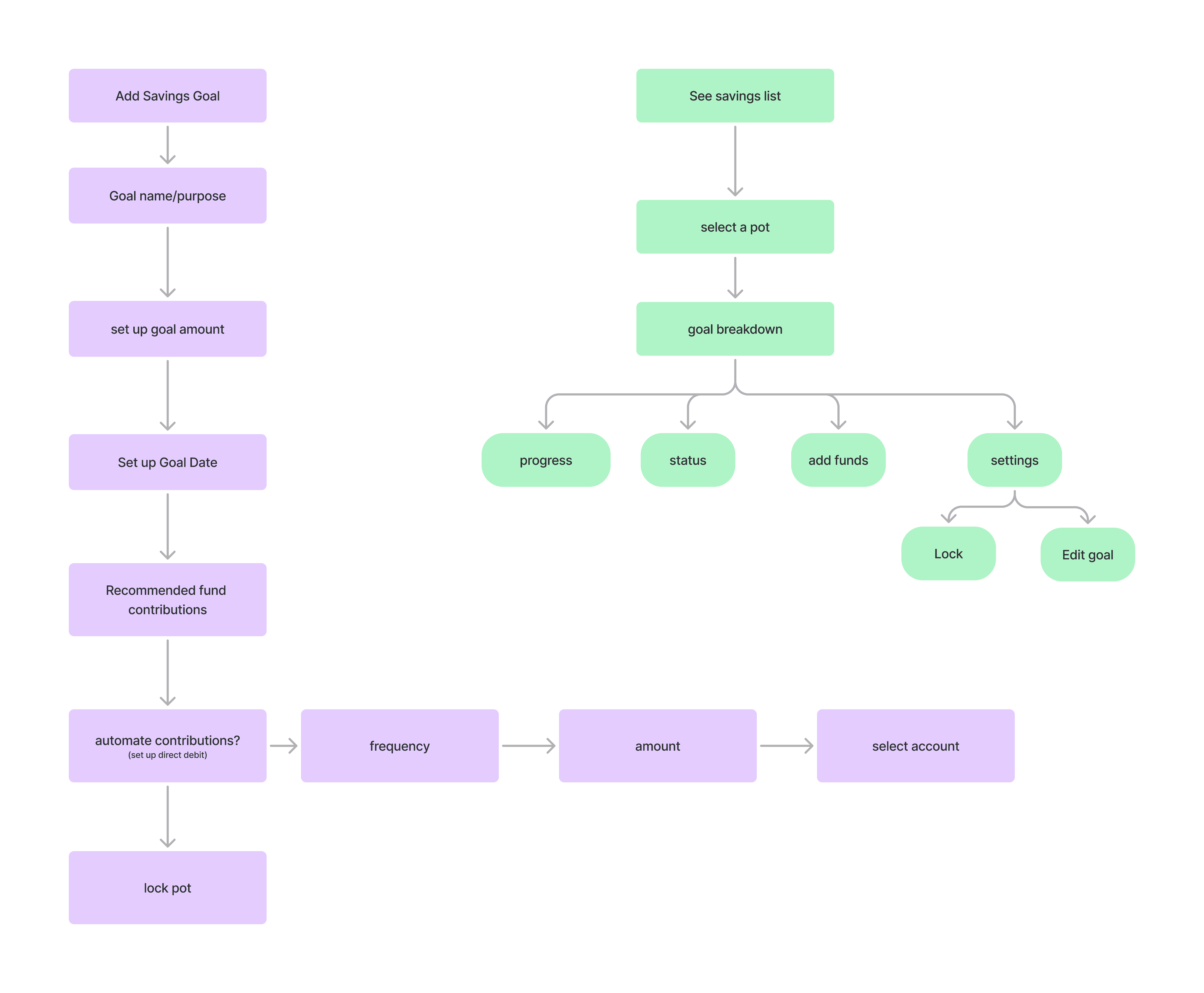
Wireframes
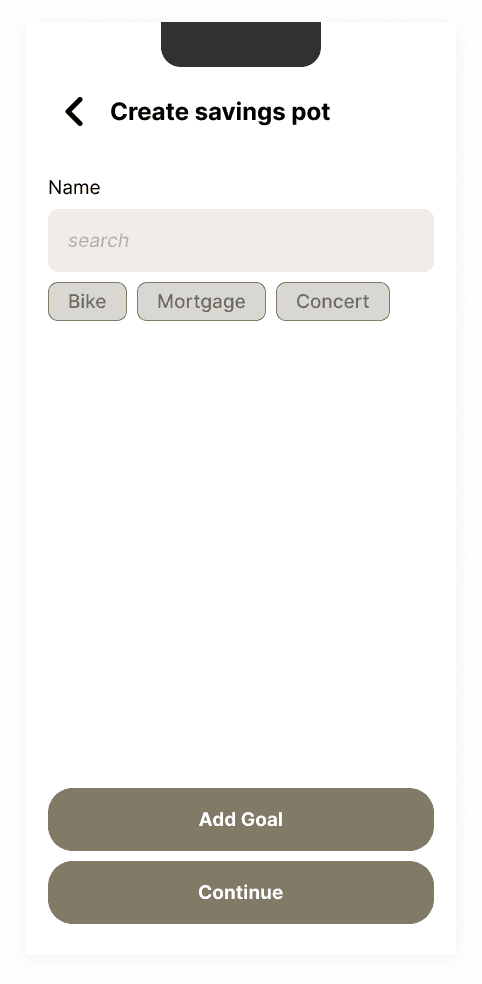
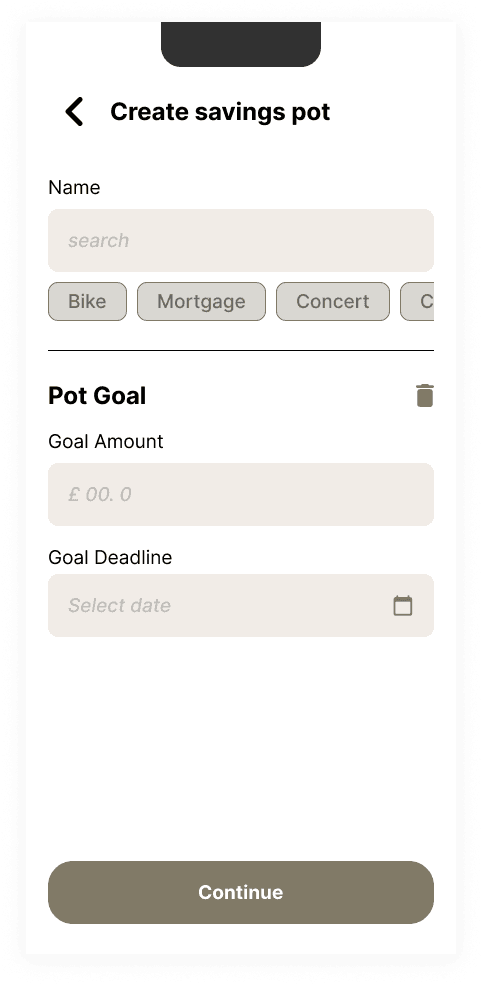
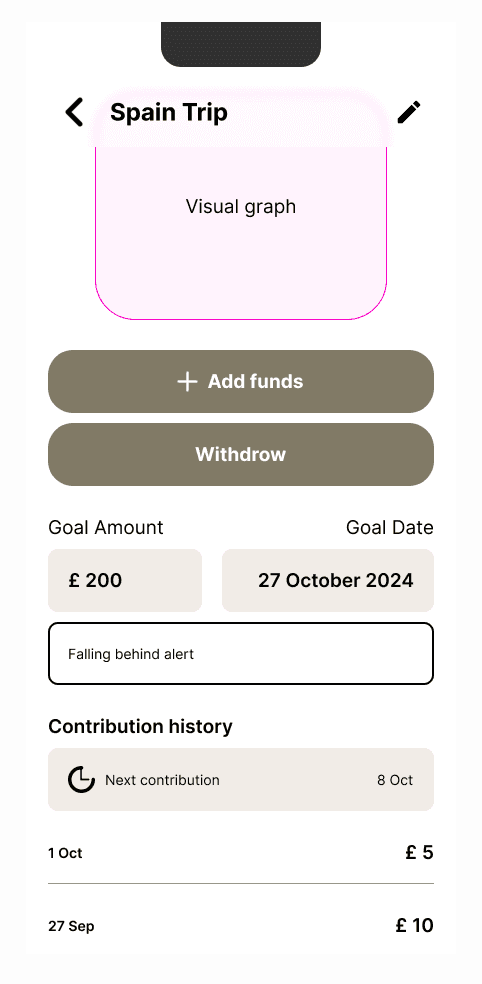
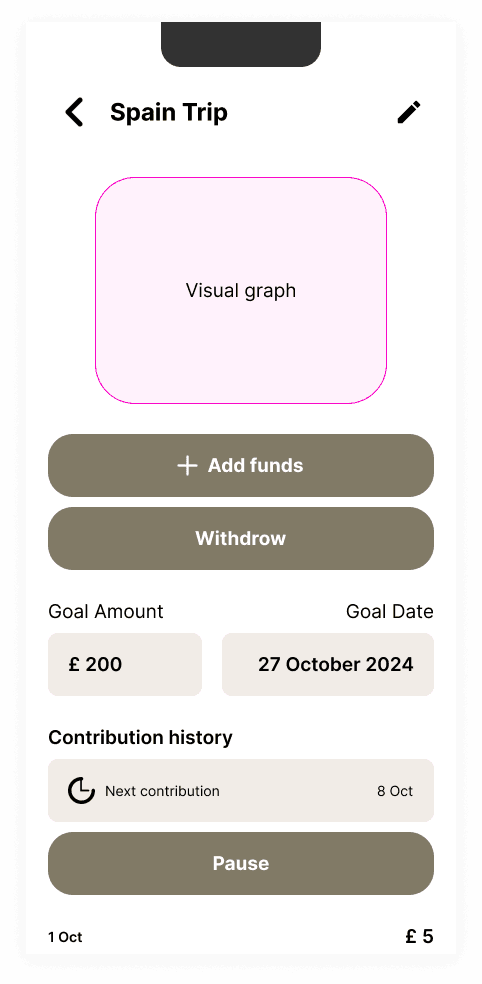
Wireframes mainly follow the generic flows I’ve already established and exploring functionalities that could push the envelope a little further.
Design
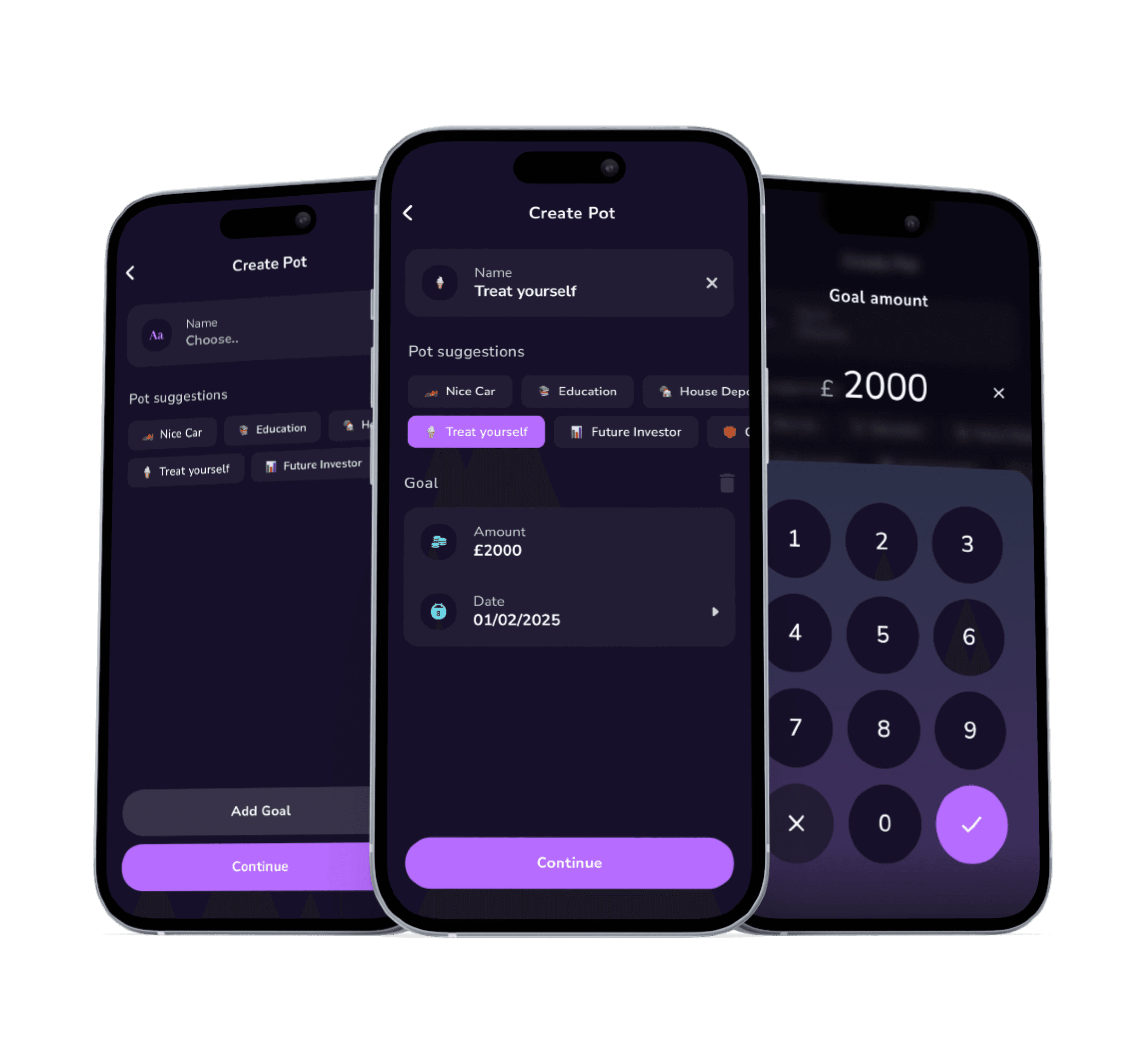
This design journey started from the existing ‘create pot’ page with minimal changes. Further designs are trying to follow the design style but does not refer to any existing app features.
Basic set up
Original design has goals as a switch toggle. I’ve explored a button function to highlight an action instead.
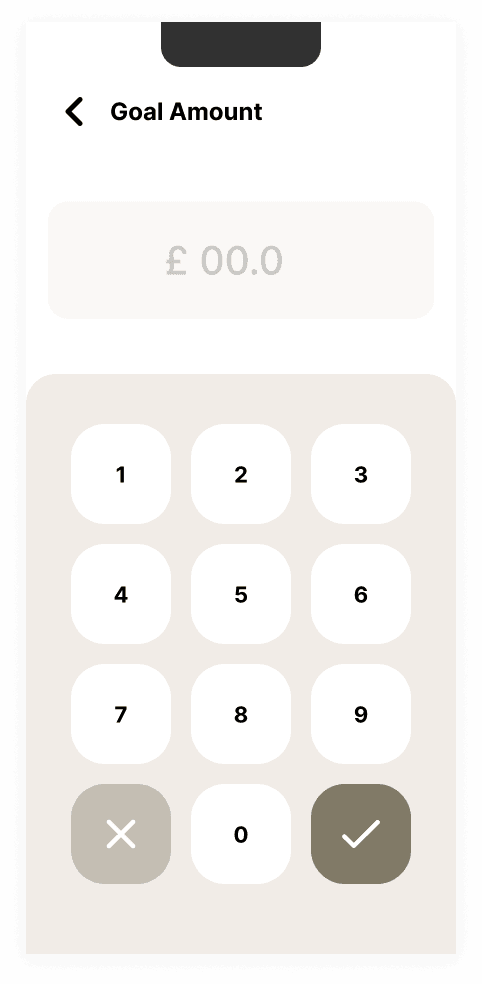
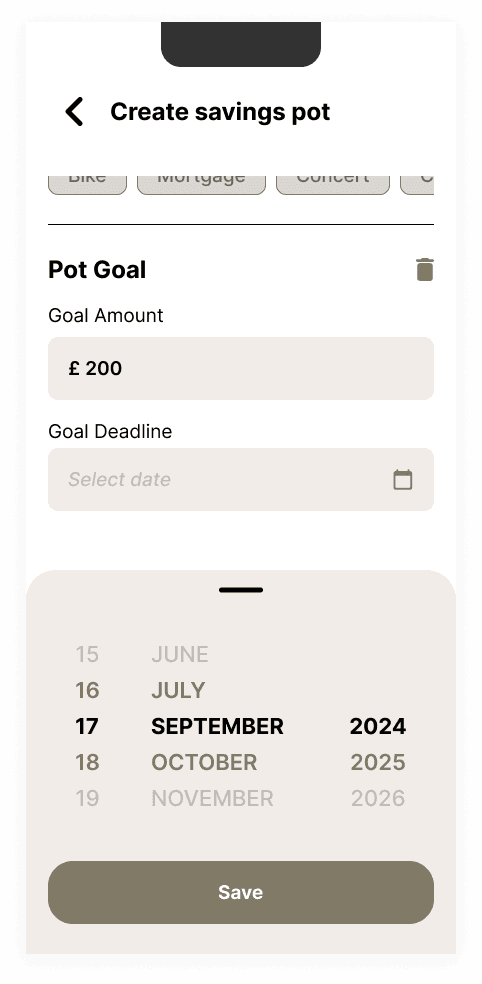
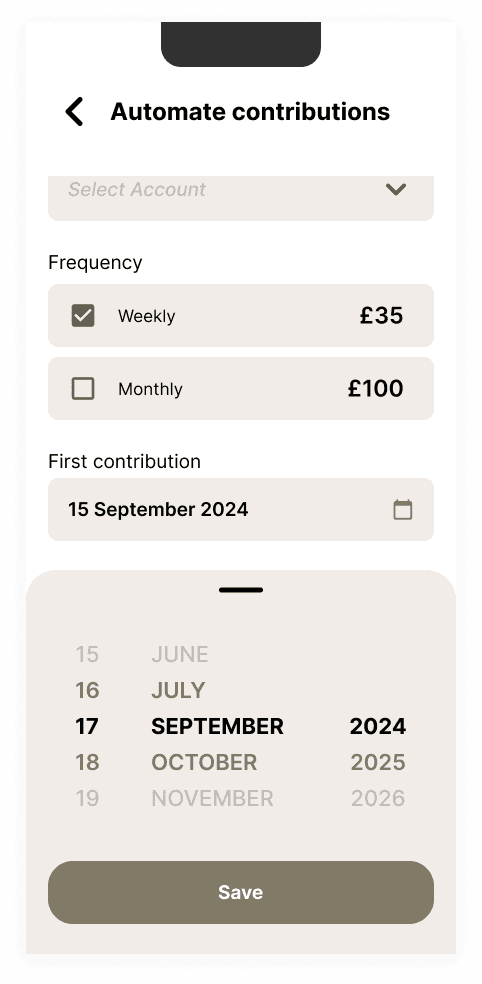
I’ve introduced a custom in-app numeric keyboard to match the customised date picker instead of using native phone keyboard.
Automation
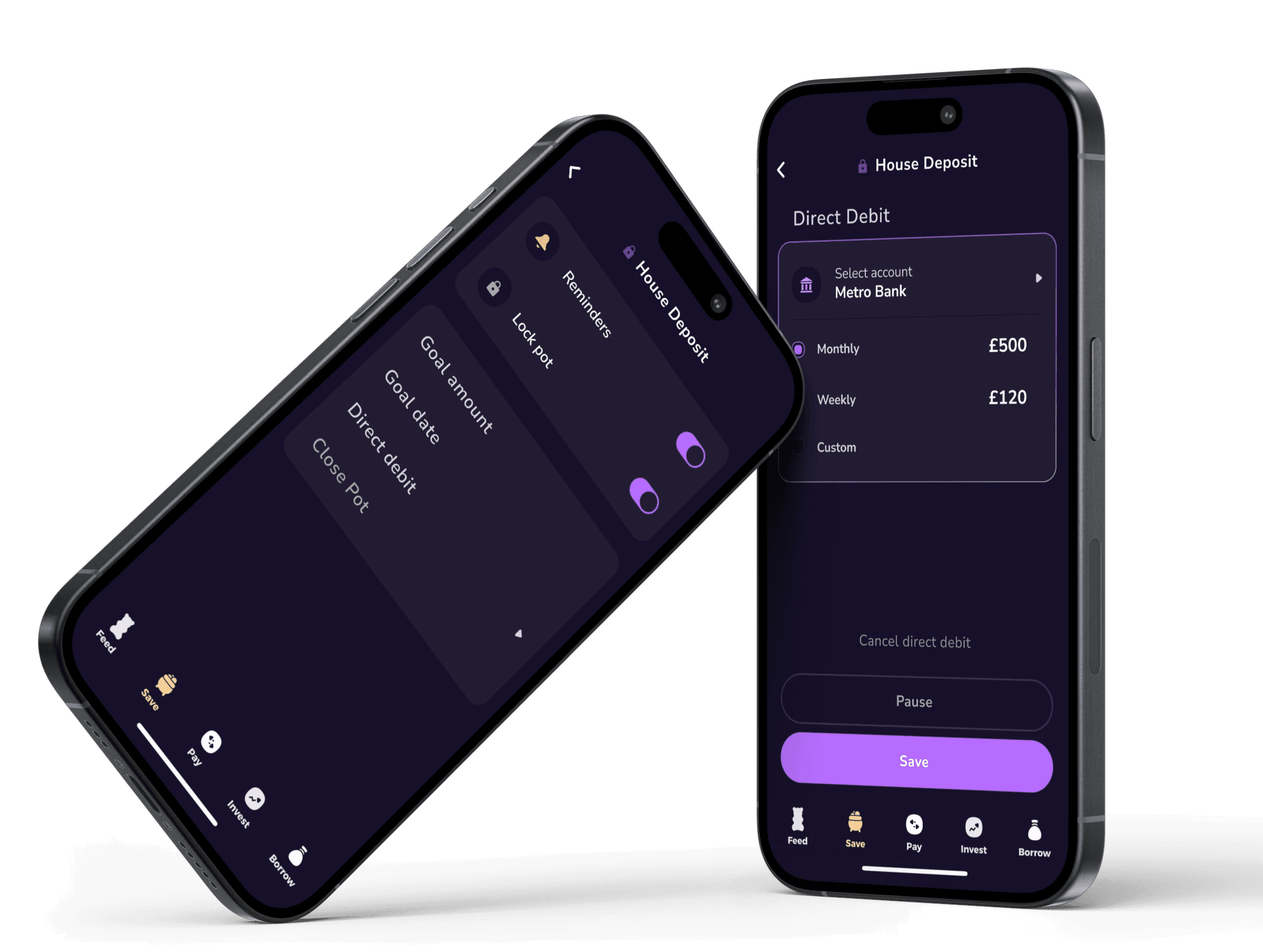
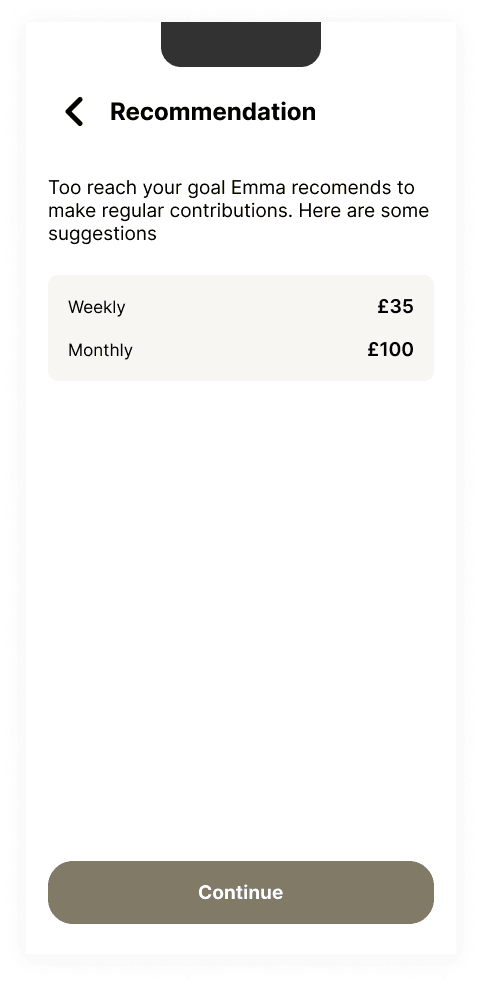
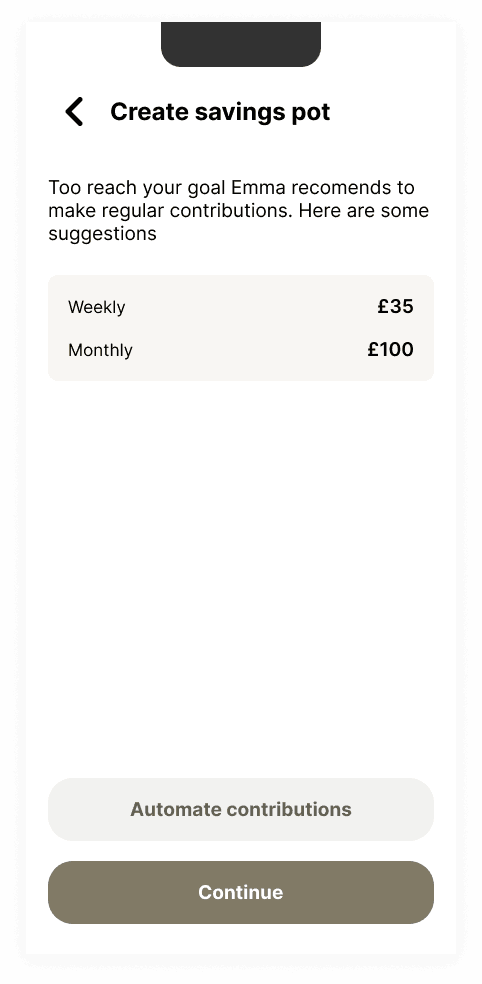
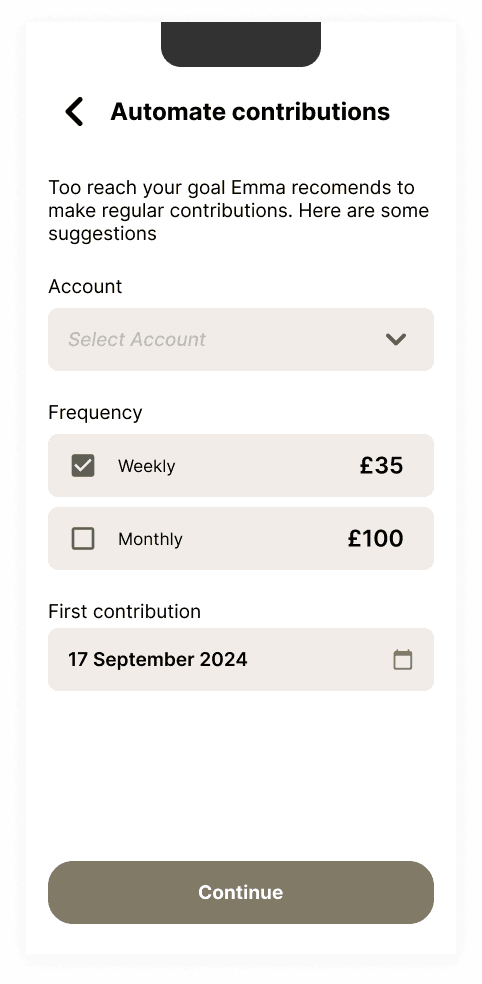
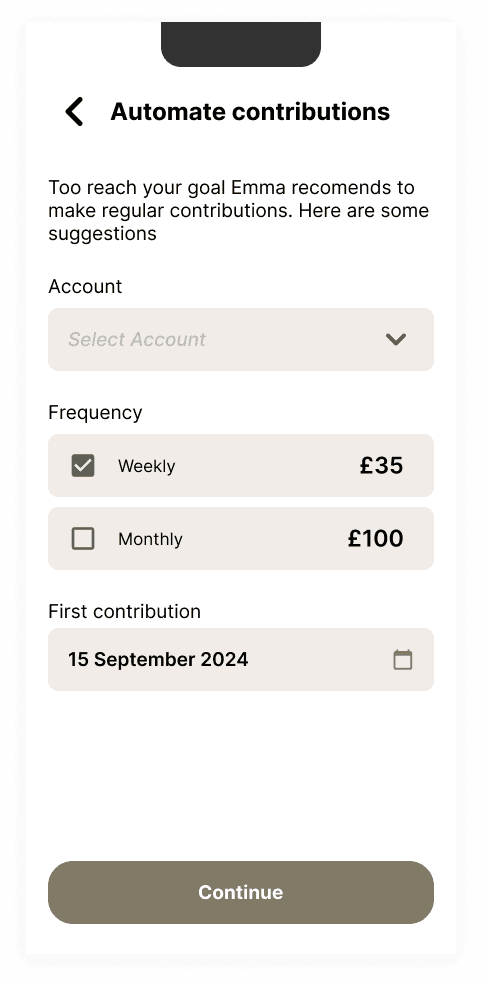
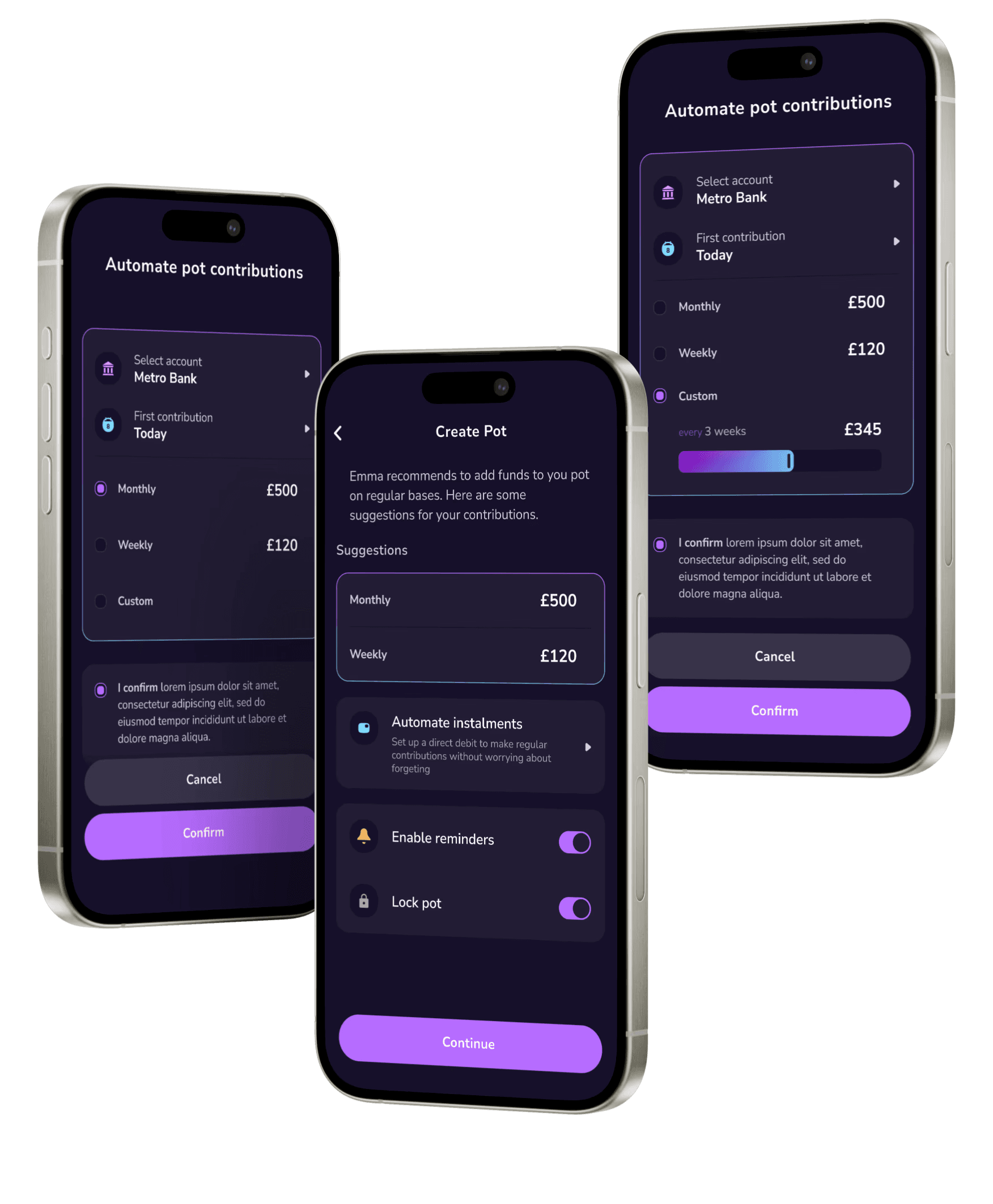
To reduce the effort required to save consistently, I introduced an automation feature.
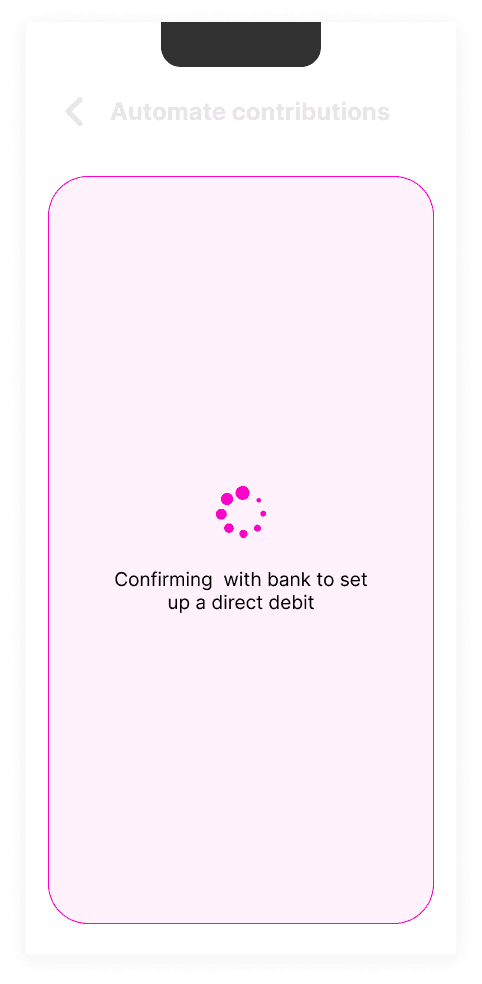
This is a direct debit set up embedded in pot set up that allows users to customise how much they want to contribute and in what frequency without having to think of it.
Alongside generated recommendations options, custom section allows to etter adapt to personal circumstances. Instead of adding more buttons and input fields I’ve explored a slider feature that could speed up the process.
The slider responds to an amount out of goal total that user would like to contribute regularly and automatically calculates how often they would have to contribute such amount. Each amount can still be entered manually.
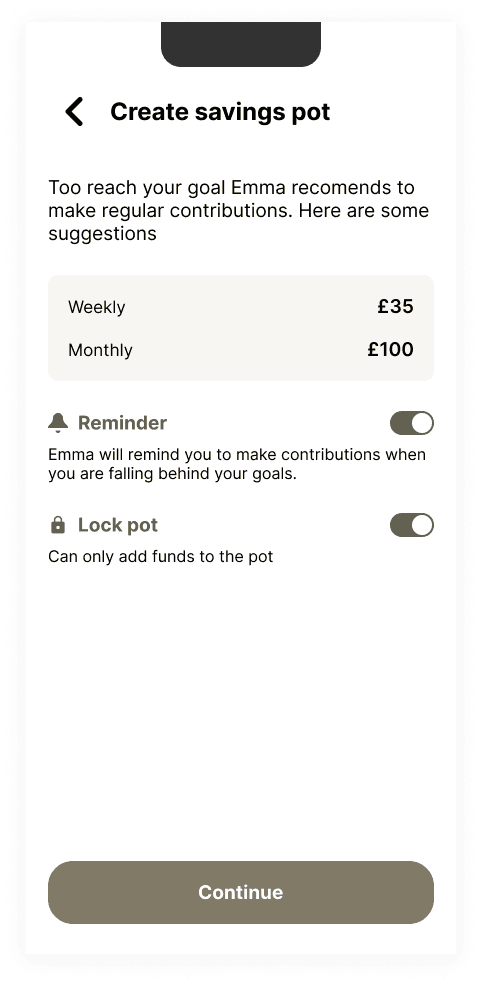
The Emma app already has a number of personalised notification options available to keep users on track with their finances. In addition, I’ve introduced an option to turn on targeted reminders for individual pots.
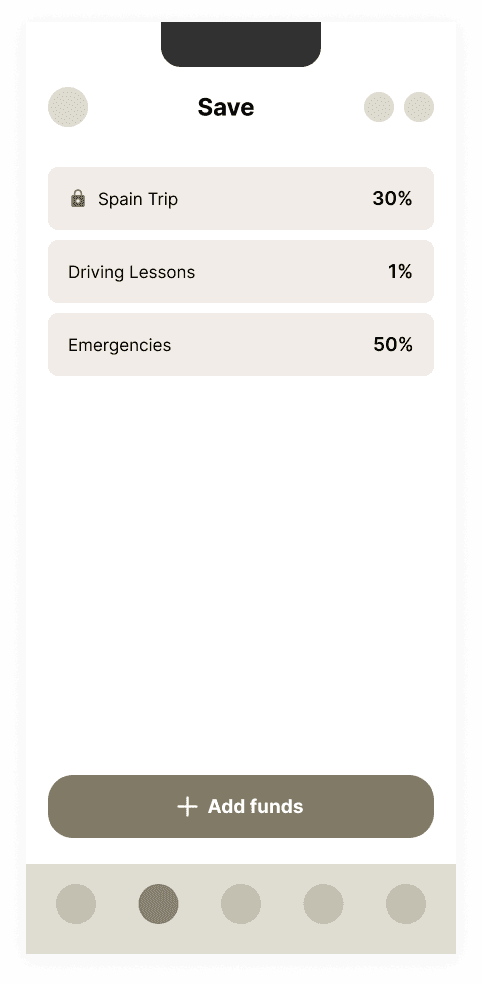
To further enhance pot maintenance an option to lock the pot is proposed to make it little harder for user to withdraw the money from the pot thus preventing user from compromising their goal.
All Pots
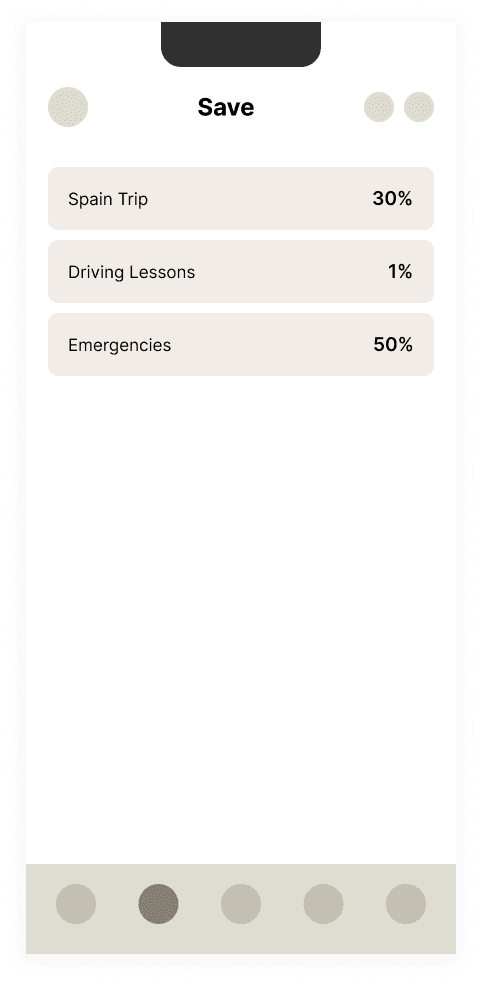
Pots with goals appear differently in the list. These pots show the progress indicators in the form of a percentage of total goal set and a visual bar indicator.
Additional indicators appear where applicable such as:
Lock: the pot is locked and funds can’t be withdrawn
‘Falling behind’: based on the goal due date and amount set a rough estimate can be calculated to notify the user if they are on track to hit their goal in response to their contribution history
next contribution date: when automation is set up the next scheduled contribution date is visible so the user is aware and can get ready for it.
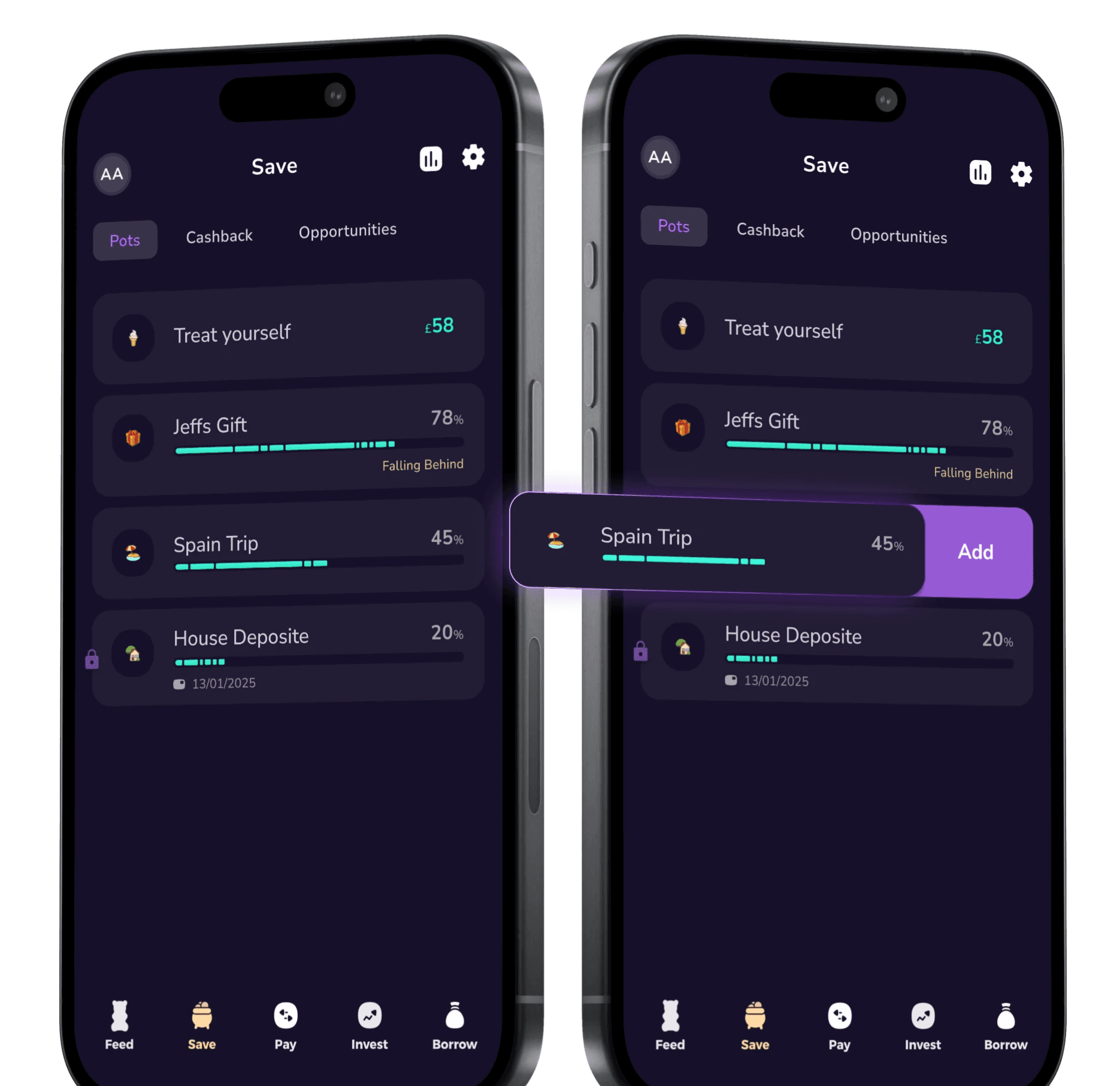
For quick access to add funds to a pot, swipe to the side to reveal this option from the pot list.
Management
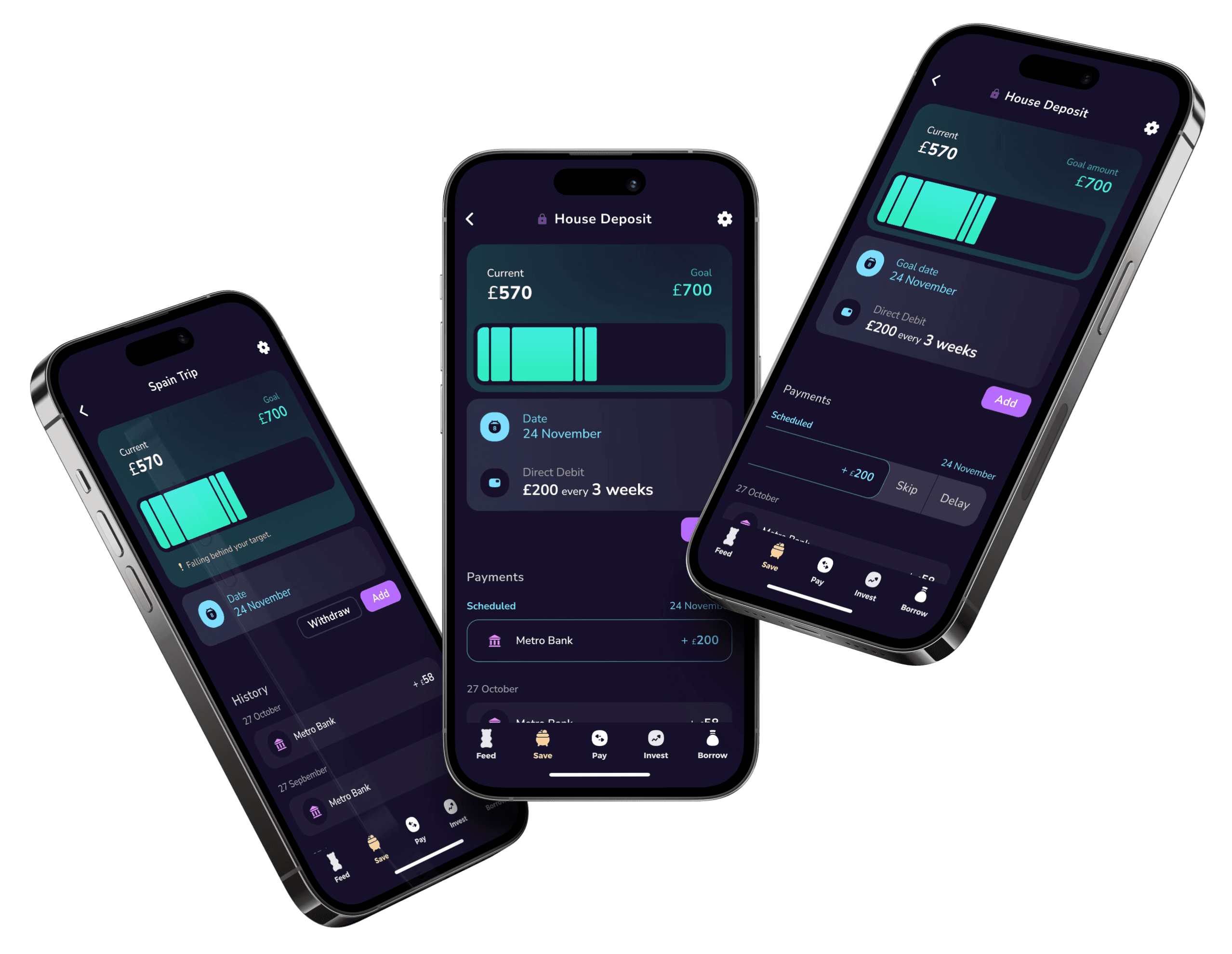
The first thing the user sees on this page shows goal settings and progress. This is a bigger and bolder part of the page so the user gets an immediate overview.
Payment history is similar to any standard banking app to keep it user friendly and avoid confusion.
If applicable, first item on payments list is upcoming automated contribution.
A quick swipe of the scheduled payment reveals options to delay or skip a payment or skip one of them.
Pot settings allow the user to edit majority of the set up options that align with the initial setup.
In addition to amending set up settings, user can also cancel or pause automation.
Closing pot requires more exploration to include the options for saved money movement.